.png)
TRUSTED BY LEADING DESIGN & CONSTRUCTION TEAMS

Who is Sentio for?
One platform for client presentations, design reviews in the office and on site
Architecture & Design teams
Show clients the space from your SketchUp or Rhino model, or from the 360° renders you already produce.
Contractors and BIM teams
Review the federated model at 1:1, then take the same model to site in AR for owner walkthroughs.
Owners, retail and manufacturers
Put executives inside the store, plant or product layout and get a decision in the meeting.
01 Present · Design stage
Client presentations in VR/AR
Clients and executives approve drawings they can't read, then ask for changes once it is built. With Sentio, walk them through the design at 1:1 scale, so they understand the space and approve sooner.
✓ 360° tours: Enscape, Lumion, Twinmotion, D5, V-Ray
✓ 3D walkthroughs: SketchUp, Revit, Rhino, IFC, Navisworks, GLB and more
✓ Sharing: web link, headset code, offline


02 Review · Preconstruction
BIM design reviews in VR/AR
Clash detection passes, but clearance and access issues still surface on site as rework. With Sentio, review federated BIM models at 1:1 scale with your team and catch constructability issues before they reach site.
✓ Workflows: Revit, Navisworks, IFC, Autodesk Forma (ACC)
✓ Collaboration: multi-user meetings on headset and PC
✓ Review tools: BIM data, measure, annotations, issues (BCF/PDF)
03 Verify on site · Construction
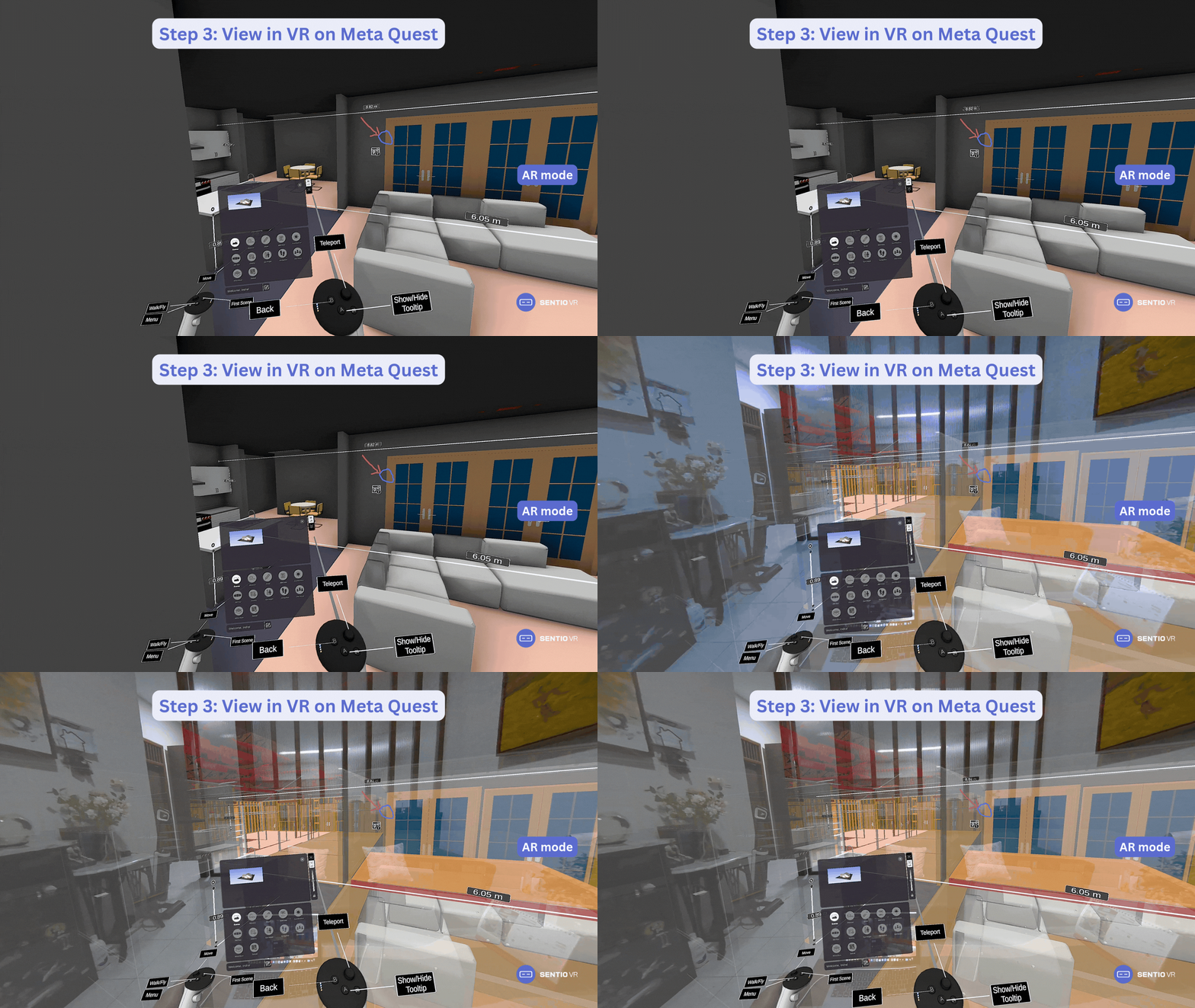
AR on site with Meta Quest
Site teams build from 2D sheets, so differences from the design are found late. With Sentio, overlay the BIM model on the real site at 1:1 scale to check what is built against the design.
✓ AR overlay: passthrough, transparency slider, hands free
✓ On site: align, lock and walk; works offline
✓ Use it for: owner walkthroughs, install checks, client sign-off
04 Share · Every stage
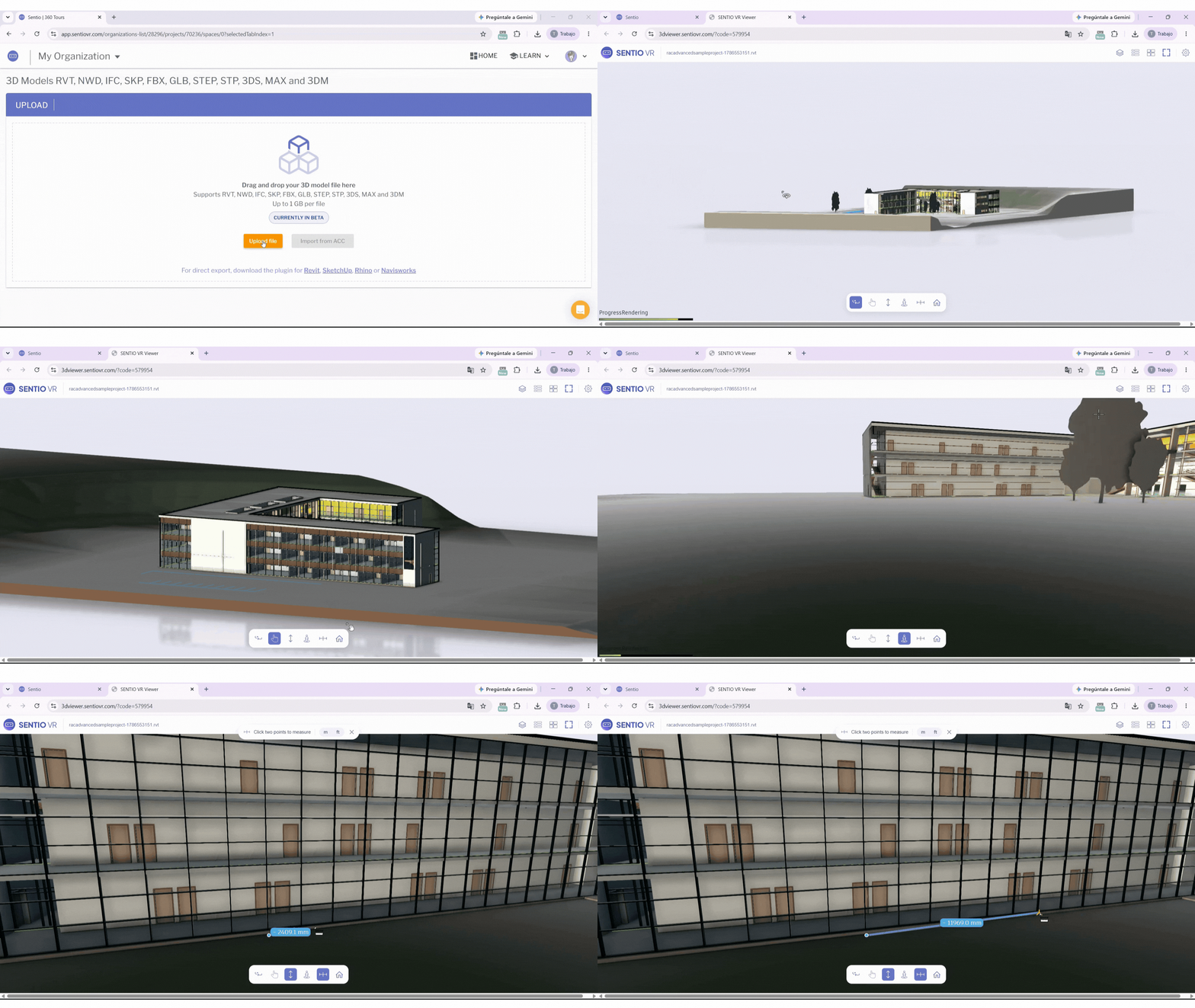
Web sharing for clients and stakeholders without a headset
Most stakeholders will never put on a headset, so they get left out of the review. With Sentio, send a link and the same 3D model or 360° tour opens in any browser, so everyone can view the design.
✓ Devices: laptop, phone, iPad
✓ Content: 3D walkthroughs and 360° tours
✓ Access: shareable link, with no headset, account or licence for the viewer
What teams say after the first review
"The nice thing about Sentio VR is its quick processing, ease of use, and high compatibility with Meta Quest which makes it easier to conduct client presentations without any high-end computer."

Amr Raafat
Chief Innovation Officer
"The web version of Sentio VR has contributed greatly to our workflow. It’s just a shareable link that you can send out to people and it’s great for the times when you don’t have VR goggles."

Rick Carter
Director of Virtual Design & Construction
"Architects must think conceptually and translate sensitivity into real human experiences. VR is the closest you can get to reality without the cost of building, demolishing, and rebuilding."

Angie Mendez
Technology Director
Why choose Sentio?
One platform for all your VR/AR needs across the project lifecycle.
Autodesk and non-Autodesk formats
Revit, Navisworks and Forma, plus SketchUp, Rhino and IFC.
VR, AR and web in one platform
Meta Quest, Windows PC and any browser, online or offline.
Standalone and simple to roll out
Runs on Meta Quest without a PC. Viewers join by link or code.
Collaboration and issues
Multi-user meetings, BIM data and issue export.
Easy, transparent pricing
Published plans. Viewers join free.
Enterprise-grade security
ISO 27001 certified.
For enterprise teams
Ready for your IT review and a company-wide rollout.
Start with one team, then roll out company-wide.
✓ IT-ready security: ISO 27001 certified.
✓ Central control: Projects, users and headsets in one place.
✓ ACC integration: Import straight from your ACC folders.
✓ Enterprise plans: Multiple seats, onboarding per team.


Questions, answered
Request a free trial
Your models. Your workflow.
Tell us about your workflow and we'll get you set up.
✓ No credit card required
✓ We'll walk you through with your own models
✓ Free trial activated during a personalized demo